 Bearly Fit
Export Functionality
12th Oct, 2025Today on Bearly Fit... I have mostly been improving the export system...
To compliment the new life logs and improvements in reporting, I needed to make the exports better.
Originally you could only export exercise logs OR nutrition logs individually.
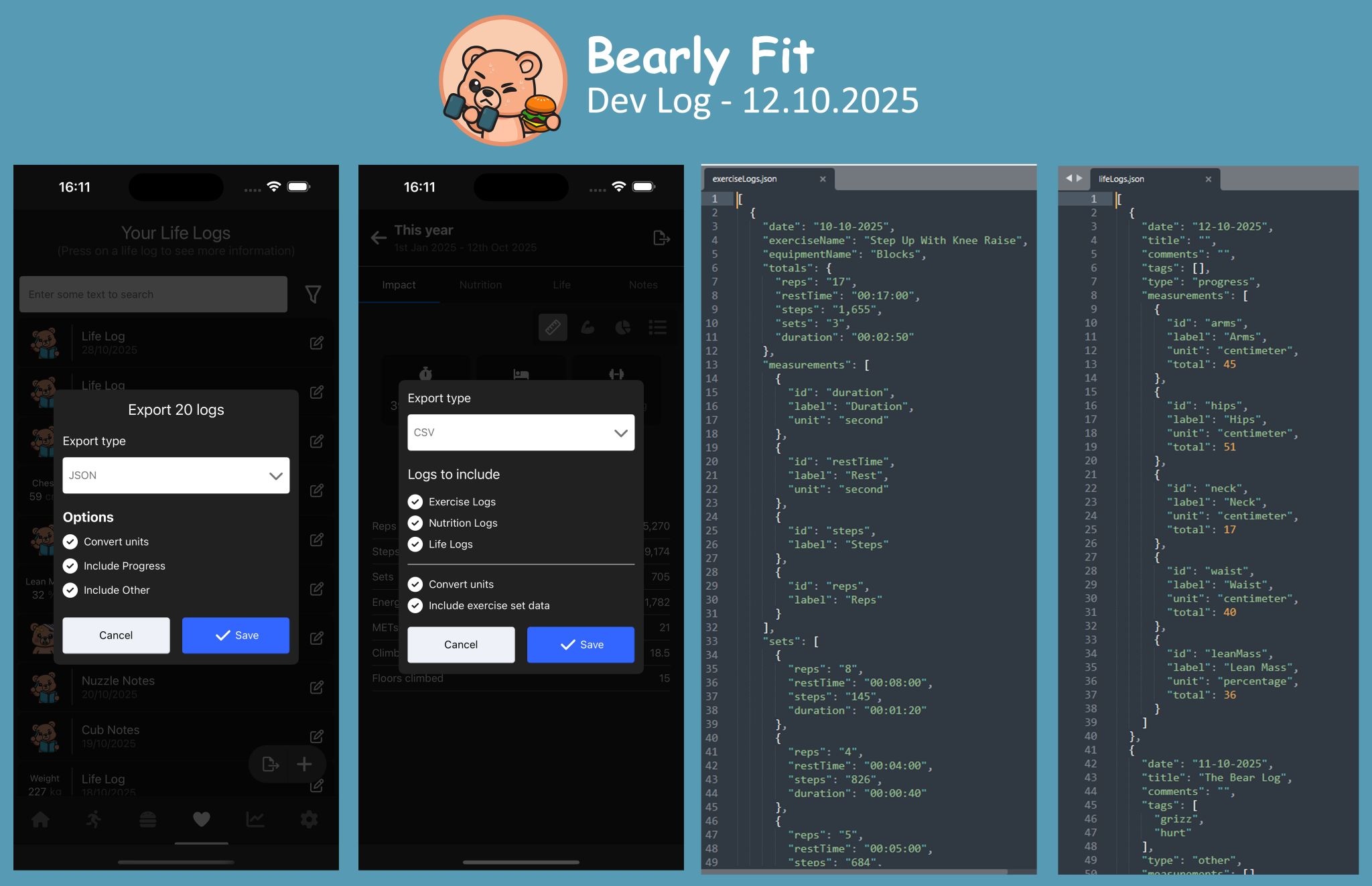
Now, the app can:
- Export Life Logs
- Export Nutrition Logs
- Export Exercise logs
- Export in both CSV or JSON (subs only)
- Export all 3 at the same time from the reports screen
Allowing users to export all of their data for an entire, day, week, month or year!
2.0 has brought a LOT of changes to the local database so before I release it I need to implement an upgrade screen.
This will allow the app to update the local database safely when an existing user launches the new version.
This migration system will also makes it easier to make database changes in the future - although I will try to plan ahead and implement data structures with this update to reduce the need to do it again soon.
Thanks for reading :)
More like this

Testing Database Migrations
Aug 15, 2026How I test Bearly Fit's on-device database migrations - seeded databases, restoring previous backups and verifying them from a custom React Native debug menu.
Read moreFood Photos in the Log View
Aug 03, 2026Final touches to the Bearly Fit food UI - food images in the log view, an info button, and a richer barcode scanning screen with Nova, Nutriscore and Ecoscore grades.
Read moreSmarter Food Search
Jul 28, 2026Making it easier to find food in Bearly Fit's growing database with meal-period presets, smart defaults based on the time of day, and Most Recent and All Food filters.
Read more